
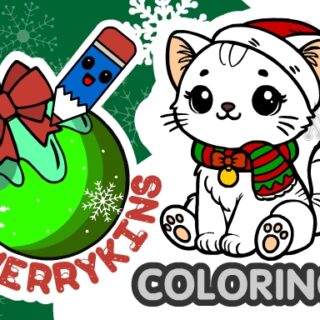
MerryKins Coloring
MerryKins Coloring is a winter-themed painting activity built around choosing a seasonal picture and working with coloring tools. The provider describes 30 scenes, a random-fill mode and JPG export. Those are details supplied with the listing, not a claim that every tool or picture has been independently tested here.
Choose a scene and an approach
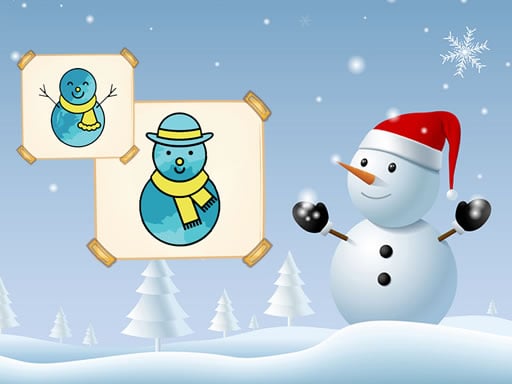
The source describes illustrations featuring snowmen, animals, a Christmas tree, Santa Claus, the Snow Maiden and other winter scenes. Start with the picture selection actually available in the current player. A scene with large, clearly separated areas may be easier for learning the tools than one with many small details.
You can aim for a consistent winter palette or deliberately try contrasting colors. This is a creative activity rather than a puzzle with one correct color combination. The random-fill mode mentioned by the provider is another option to look for, but check its effect before applying it to a picture you want to keep.
Controls supplied by the provider
| Task | Listed input |
|---|---|
| Pick tools and color | Tombol kiri mouse atau sentuh |
| Zoom | Mouse wheel or pinch gesture |
| Read tool tips | Question-mark control |
| Save progress | Floppy-disk icon |
These inputs come from the instruction field attached to the game. They do not establish support on every phone, browser or touchscreen. If a control differs in the loaded version, follow its own prompts. No separate keyboard-shortcut chart has been confirmed.
Which coloring tools should you look for?
The provider lists a pencil, fill tool, eyedropper, eraser, multiple brushes, copy and paste, and undo. A practical starting sequence is to try one tool on a small area, inspect the result, and then decide whether it suits the rest of the image. Use the question-mark help before assuming that similar-looking icons behave like tools in another drawing application.
Zoom can help you inspect a small region, while the eyedropper is described as an available tool for working with color. The source does not document every tool setting or define a universal fill boundary. Test the current behavior rather than relying on a particular brush size or automatic edge detection.
Saving progress is different from exporting a picture
The instruction field associates the floppy-disk icon with saving progress, while the longer description mentions saving pictures as JPG. These are different purposes: a progress save may relate to continuing an editing session, while an exported image is a finished picture file. Neither feature has been independently verified in this guide.
Check for the relevant control before closing the page, and confirm that any exported file is actually on your device before relying on it. Browser storage restrictions or clearing site data can affect saved sessions. Do not assume a downloadable image also preserves editable layers or tool history.
Related activities
Compare Warnai Dengan Angka Dengan Frozen II if you want a numbered-coloring theme. Kegembiraan Musim Dingin Kejutan Popsy offers another seasonal coloring description. Browse Coloring Games or Winter Games to choose by activity.
Frequently asked questions
Are all 30 pictures available immediately?
The provider mentions 30 scenes but does not establish their availability or unlock conditions in the current player. Check its selection screen.
Is there a time limit?
The supplied source does not give a confirmed timer or scored deadline. Use any objective actually displayed by the game.
What if the player stays blank?
Read game loading help. Do not install unfamiliar software or bypass browser warnings. A parent or caregiver should review the external game and advertising before a child plays.
Editorial update: 29 October 2026. Tool and control details are based on the original provider description and instructions. A complete play-through, export test and device compatibility test have not been completed. Original publication dates are retained.
 Indonesian
 English
 French
 Portuguese